
Anti-Spyware
As of September 15, 2009 Anonymizer Anti-Spyware is no longer supported.
Uninstalling Components
Step 1
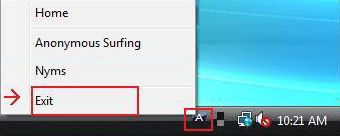
Right click the Anonymizer icon in the lower right hand corner and select Exit.
Step 2
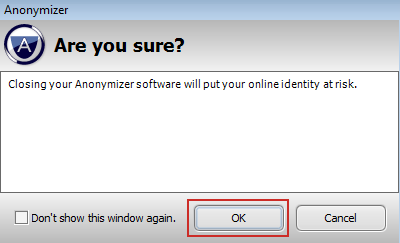
Click OK to close the Anonymizer program.
Step 3
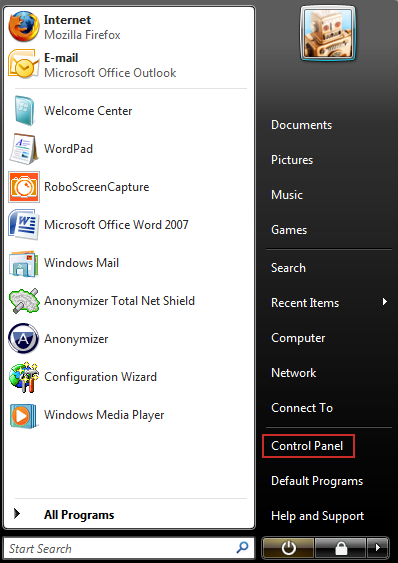
Click on the Windows icon in the lower left hand corner; then click on Control Panel.
Step 4
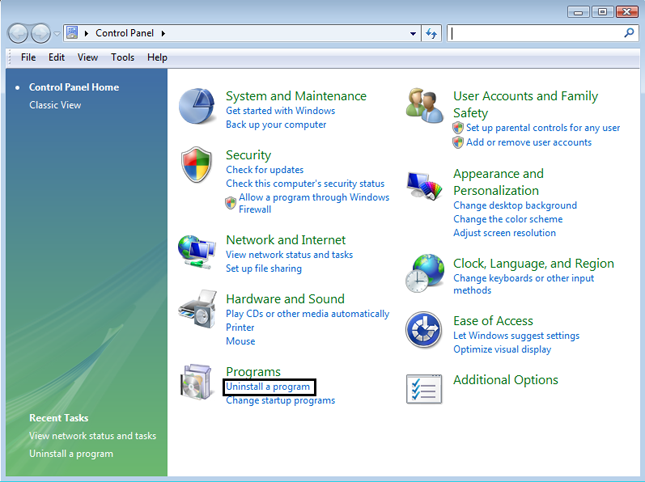
Inside the Control Panel Home click on Uninstall a Program.
Step 5
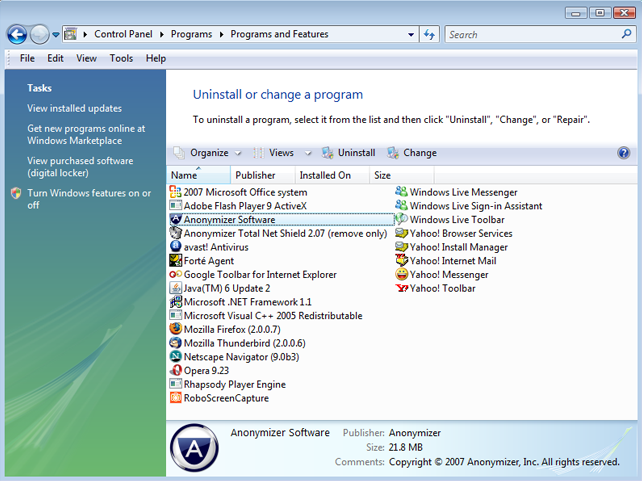
Double click on the Anonymizer Program to start the Uninstall Wizard.
Step 6
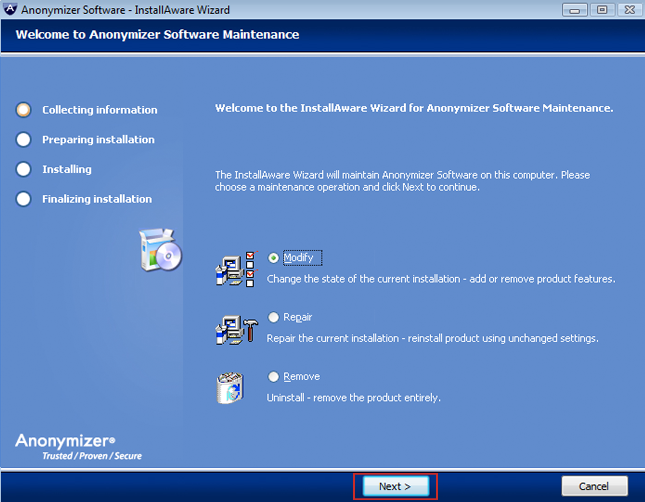
Select Modify and click Next to continue.
Step 7
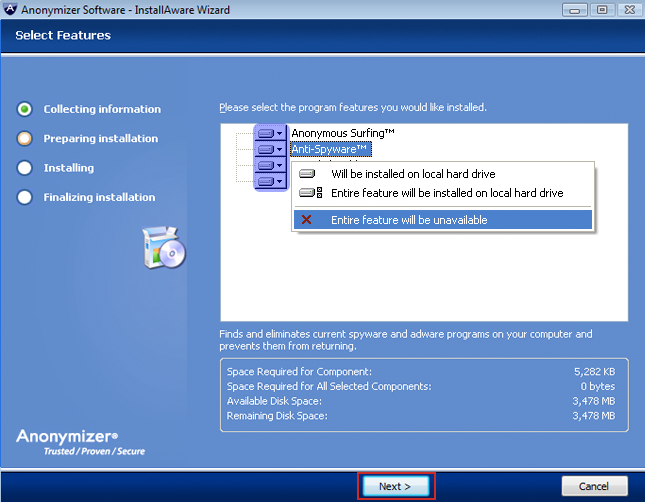
Select the component(s) that you wish to remove; then select Entire feature will be unavailable. After selecting the component(s) to be removed; click Next to proceed with the removal.
$(‘#side_nav a:contains(“Uninstall”)’).addClass(‘active’);